Configure a proxy
You may need to use your proxy in the 2 following cases:
If you have to use a proxy to access your Map 4 server from your computer
If your computer is behind a proxy and you have to go through it to access internet
To tell Map 4 to use a proxy, follow these steps:
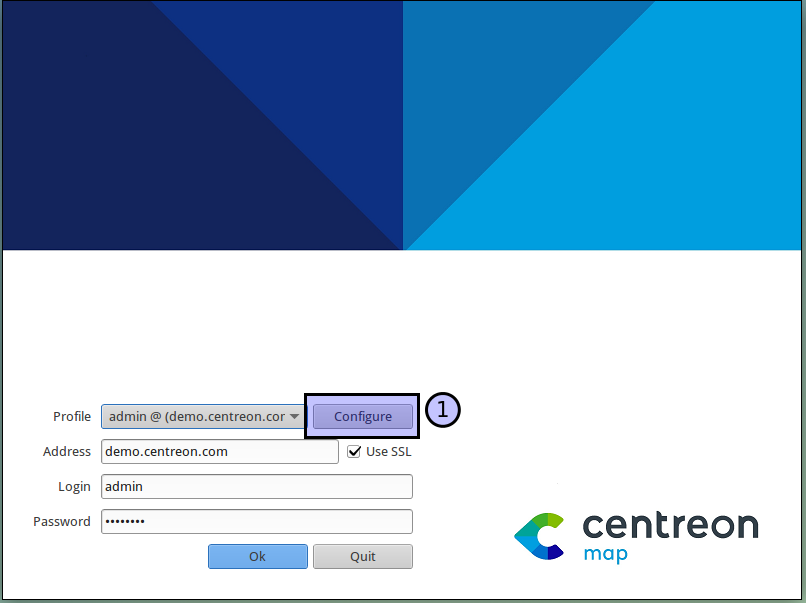
On the spash screen click the “Configure” button
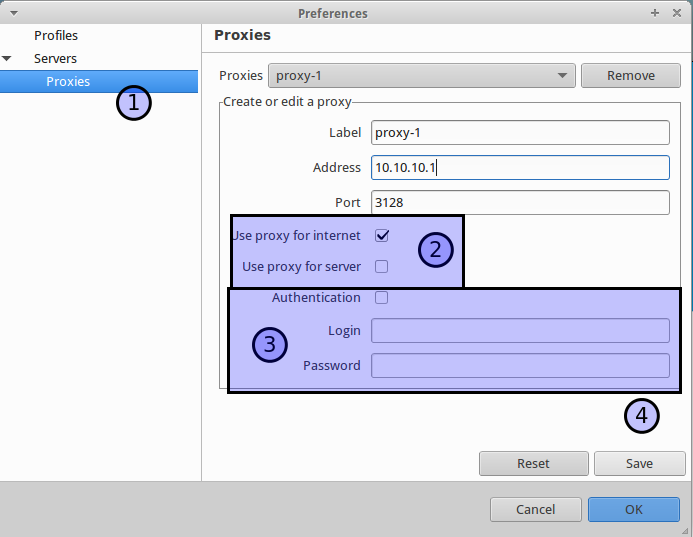
On the left panel select “Server” -> “Proxy”
Add a label, address and port of your proxy
Select if the proxy will be used to access internet or to access the Map 4 server (you can select both)
Enter authentication information if necessary
Click “Save”
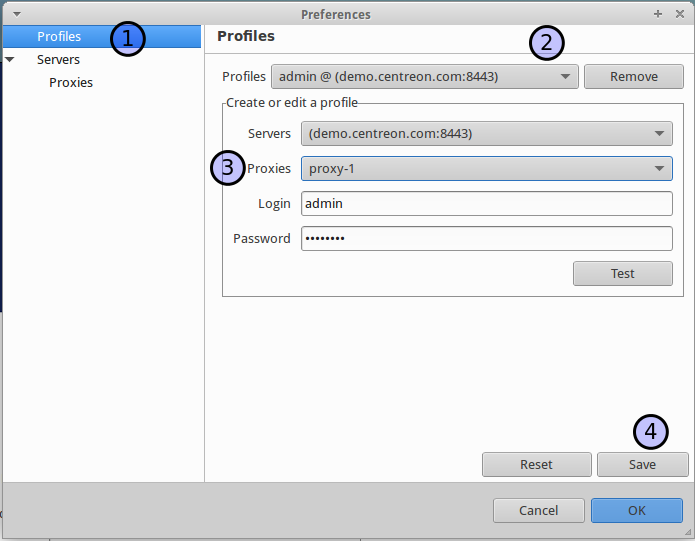
On the left panel select “Profiles” (1)
Select the profile which needs a proxy (2)
Add the previously created proxy (3)
Click “Save”
Then click “OK”
Everything is now configured !